
Owners search and connect
Owners search by service and distance, then chat before direct contact details unlock.
Product walkthrough
This page shows the real owner and professional flows that are already in the product: matching, messaging, appointments, reviews, and Stripe-backed subscriptions.
Owners search by service and distance, then chat before direct contact details unlock.
Professionals publish service category, business profile, and travel range.
Chat is the first step before scheduling and direct contact sharing.
Professional pricing, founder offers, and billing management are handled through Stripe.
The owner flow is built around discovery first, then chat, then scheduling and review after a real connection.
Horse owners sign up, verify their profile, and set their location and service needs.
Owners add the horse, contact details, and the search range they want to use.
Search results are filtered by service type, location, and distance fit.
Owners review a professional profile before starting a conversation.
In-app chat happens before contact details unlock, so fit can be confirmed first.
Once both sides agree, appointment requests and scheduling tools are used to set the visit.
Owners can check upcoming appointments and complete the follow-up flow from the app.
After a real service interaction, owners can leave ratings and comments for future users.
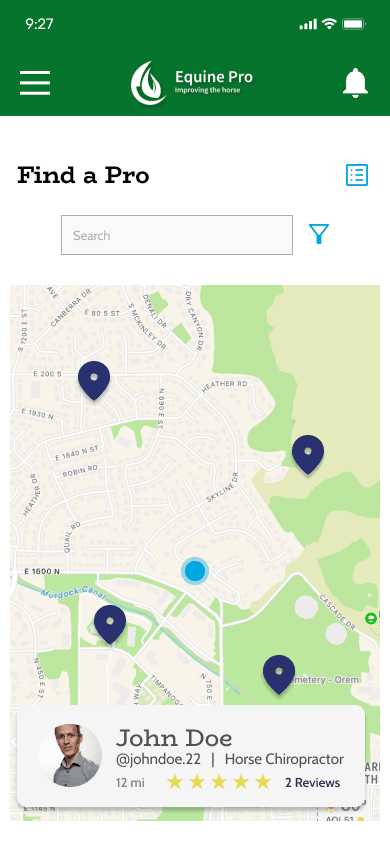
The app shows nearby professionals and keeps contact details gated until both sides agree.
Professionals use the app to describe the work they do, define where they travel, and manage the requests that fit their route.
Professionals register as a horse-care provider and choose their role in the platform.
Profiles include service category, business details, and travel range.
Matches are driven by owner location, service need, and the provider’s travel range.
Chat stays in-app until both sides decide to connect directly.
Professionals can shape their availability around the routes and clients they actually serve.
Appointment tools support the follow-through after a lead becomes a real job.
Subscriptions, featured placement, and referral-linked founder offers support growth.
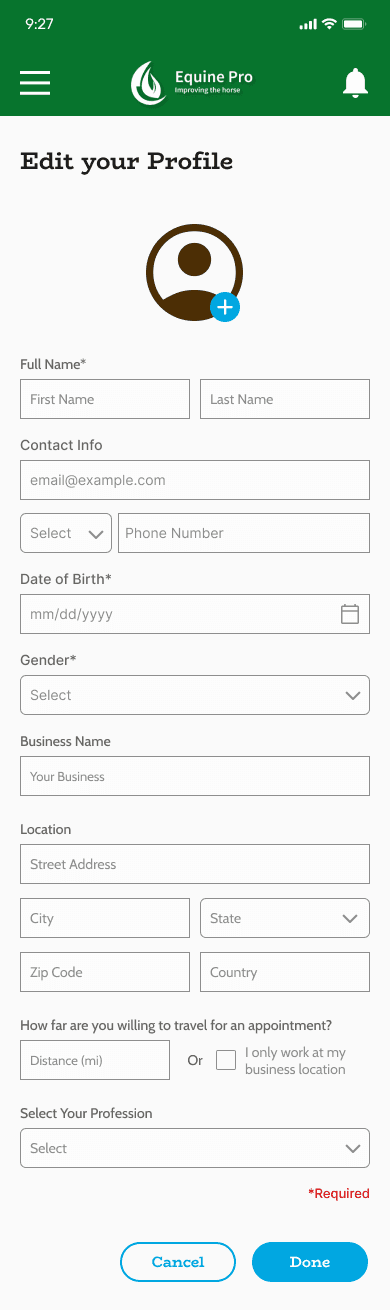
The professional app keeps service category and travel range visible so requests are better matched.
Chat starts inside the app so both sides can confirm fit before direct details unlock.
Appointment request and schedule views support the handoff after a conversation turns into a real job.
Ratings and comments are tied to real interactions so future users can understand reliability and communication.
Real screenshots make the workflow easier to understand than placeholder graphics.
Search by service, location, and distance.
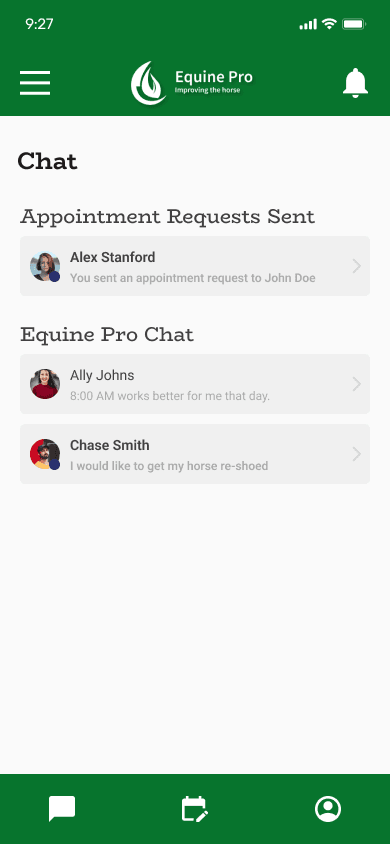
Talk before contact details unlock.
Set service category and travel range.
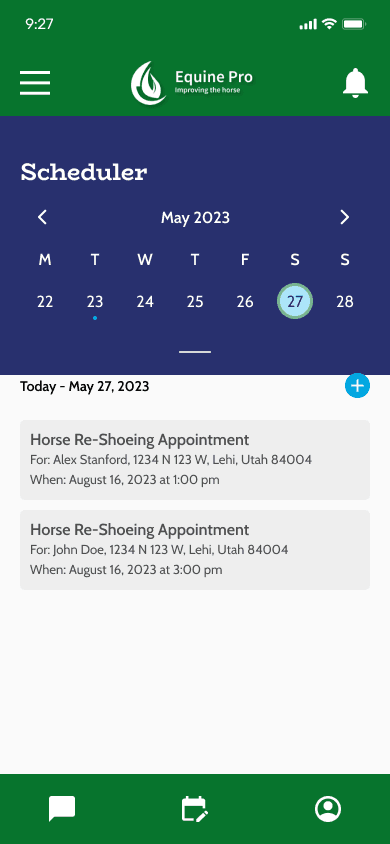
Handle appointments and reminders.
This is the part of the site that explains pricing without inventing a separate sales story.
Equine professionals
$24.99/mo
Billed monthly through Stripe until canceled.
Founder rate
$14.99/mo
Locked founder pricing for the first 100 professionals while the account stays active.
Launch offer
Free for 90 days
Limited to the first 25 eligible professionals. No charge at claim time.
Featured
$99 one-time
One-time Stripe payment.
Sponsor
$249 one-time
One-time Stripe payment with 180 days of featured placement.
The public site should describe how trust works without pretending the app does something it does not.